✓
Record every meal
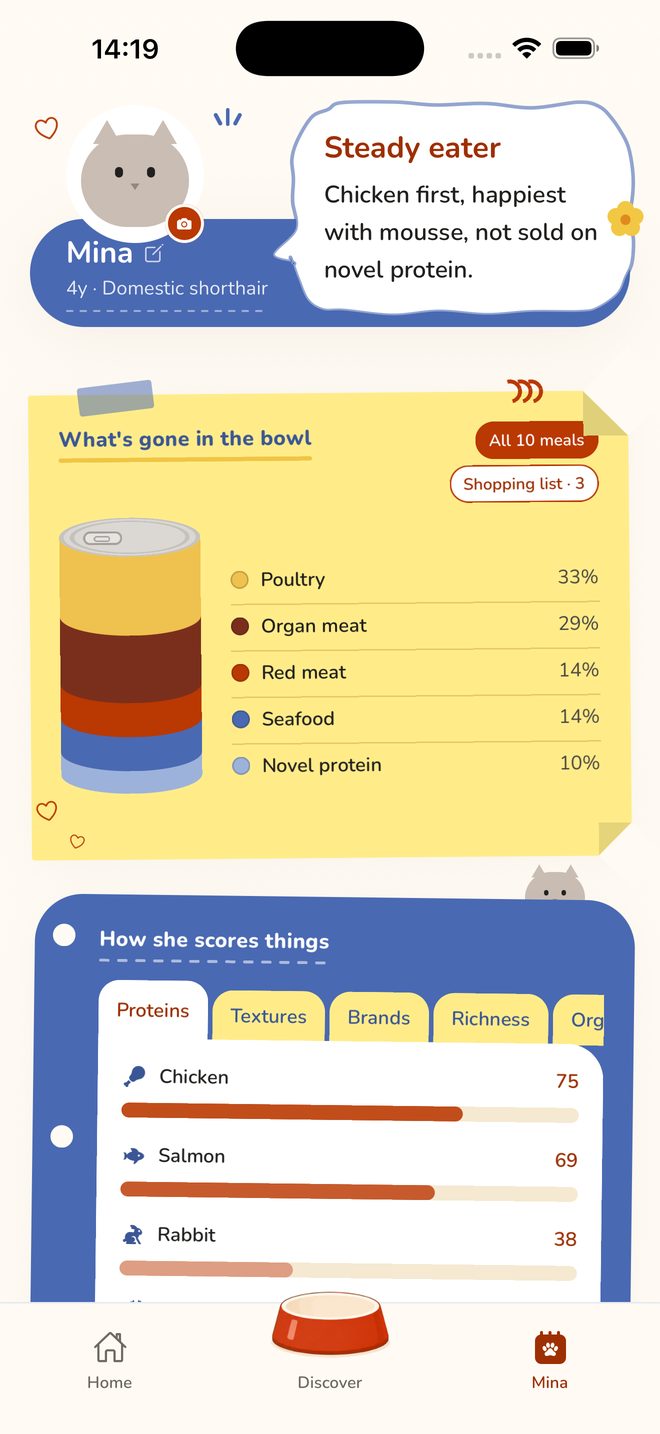
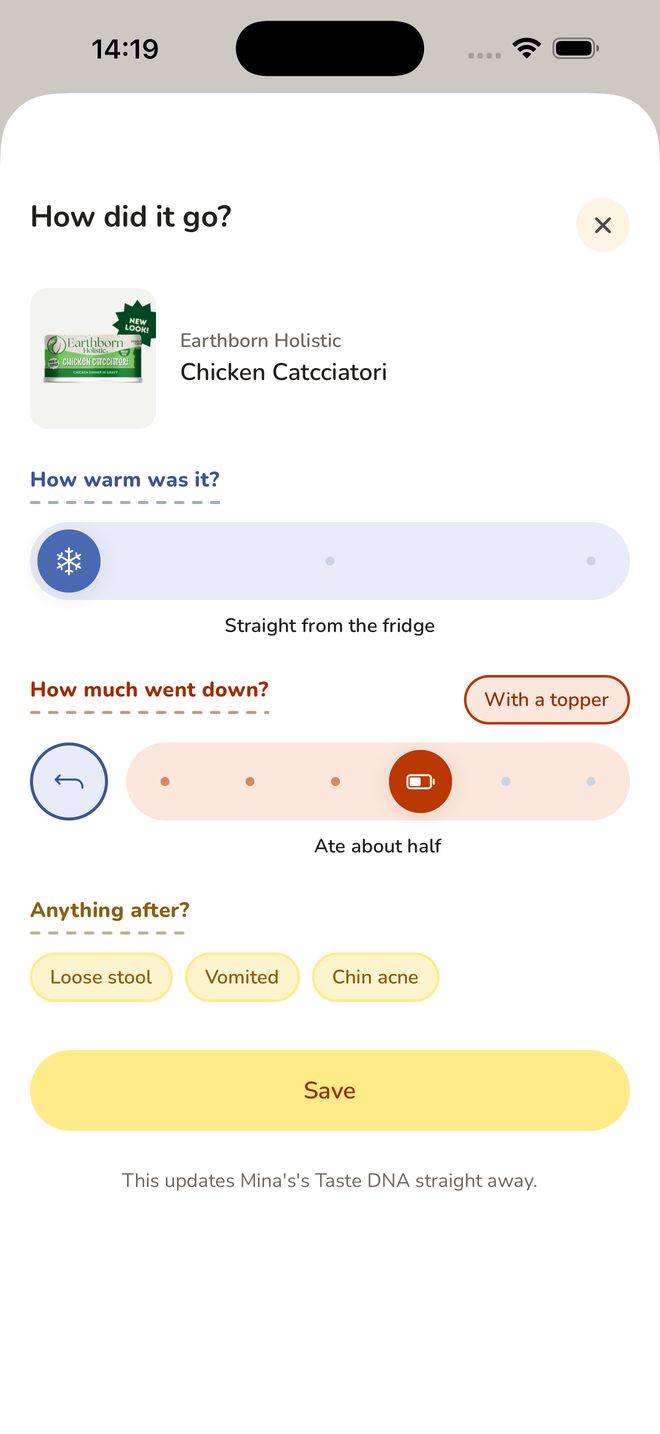
Log what your cat did, from sniffing and leaving to cleaning the bowl; enter grams of dry food and it counts toward daily calories and nutrition. After three meals, recommendations begin — each with its reason.
Record every meal, uncover your cat’s unique Taste DNA, and get thoughtful recommendations backed by what your cat really eats.
No account required. Available in English and Chinese.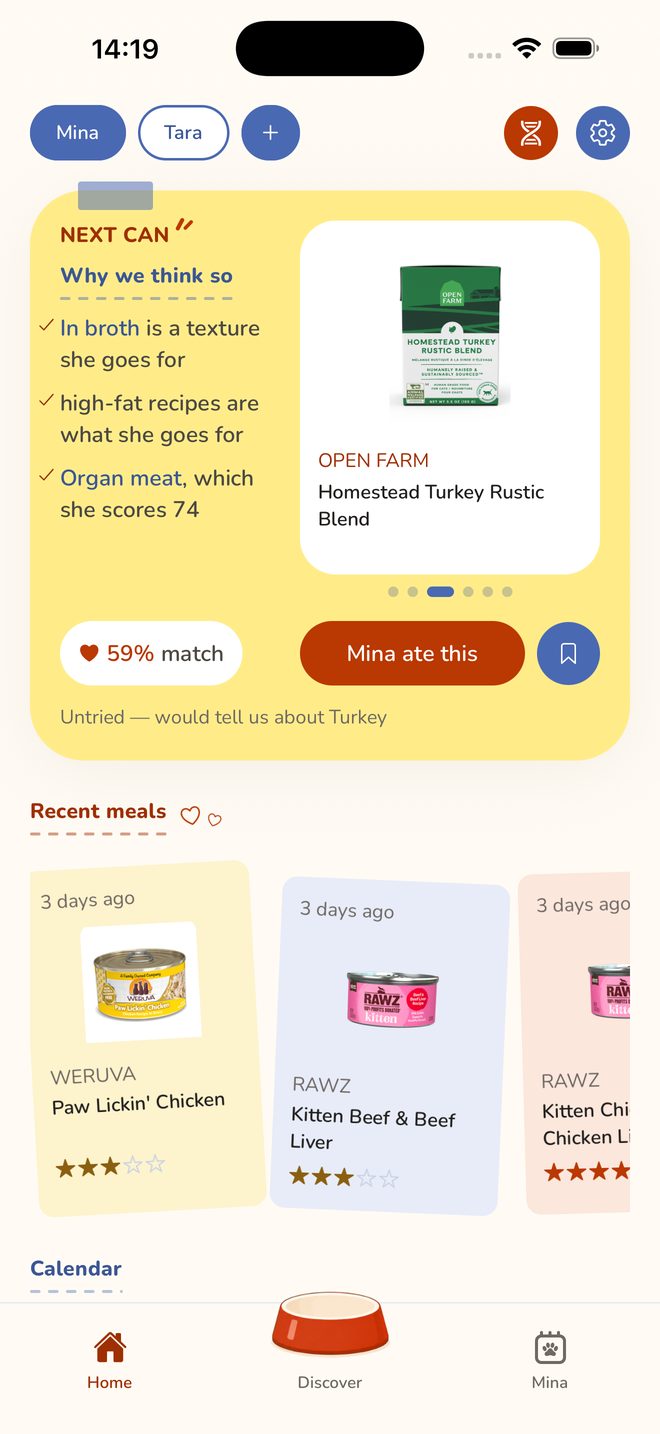
PickyCat turns everyday feeding into a clear, useful picture of what works—and what to try next.
Log what your cat did, from sniffing and leaving to cleaning the bowl; enter grams of dry food and it counts toward daily calories and nutrition. After three meals, recommendations begin — each with its reason.
Six axes show how your cat scores things: proteins, textures, brands, richness, organ meats, and gums.
Photograph a can, a bag of dry food or a treat and your phone reads the label and finds the matching food itself. The photograph never leaves the device.
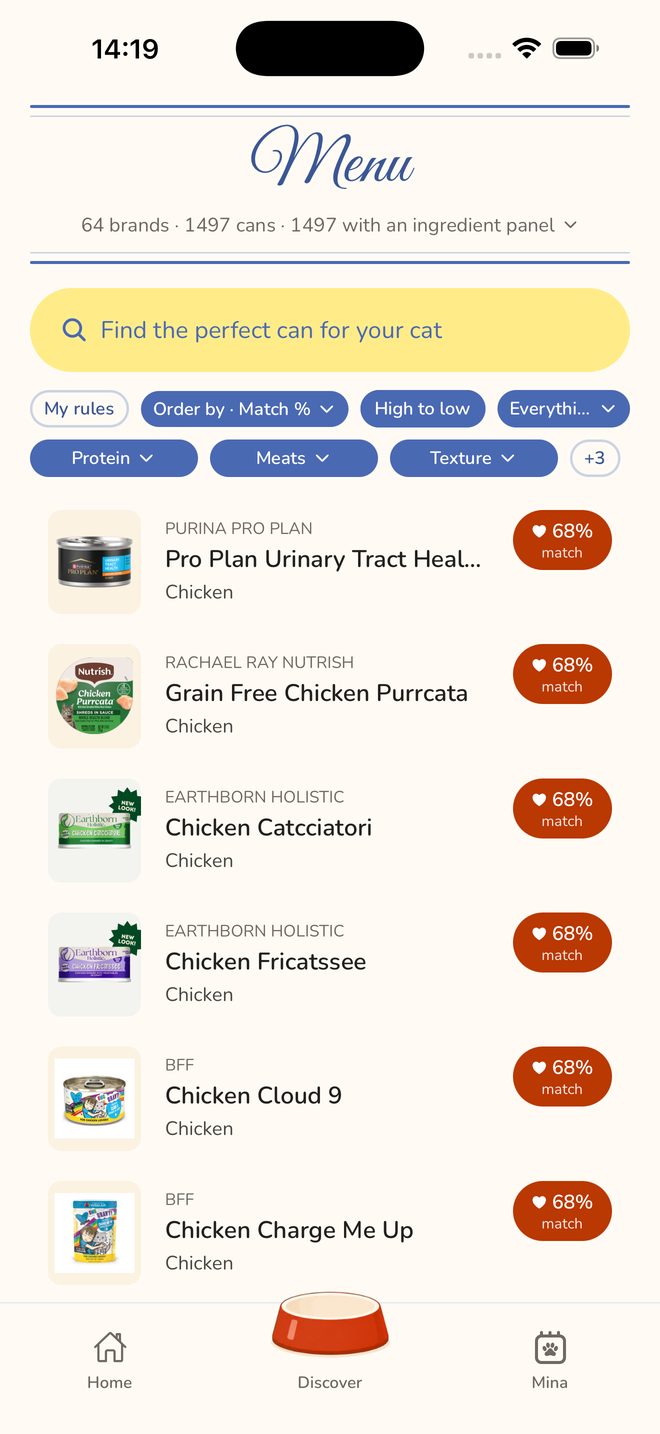
Search more than 13,000 wet foods, 4,500 dry foods and 3,000 treats from over 800 brands and compare what matters. A typo or a wrong letter or two still finds it.
Record what each can cost, and put leftovers in the fridge to log the next meal from there. Can collection ranks cans by how much your cat actually ate, with average price and total spend.
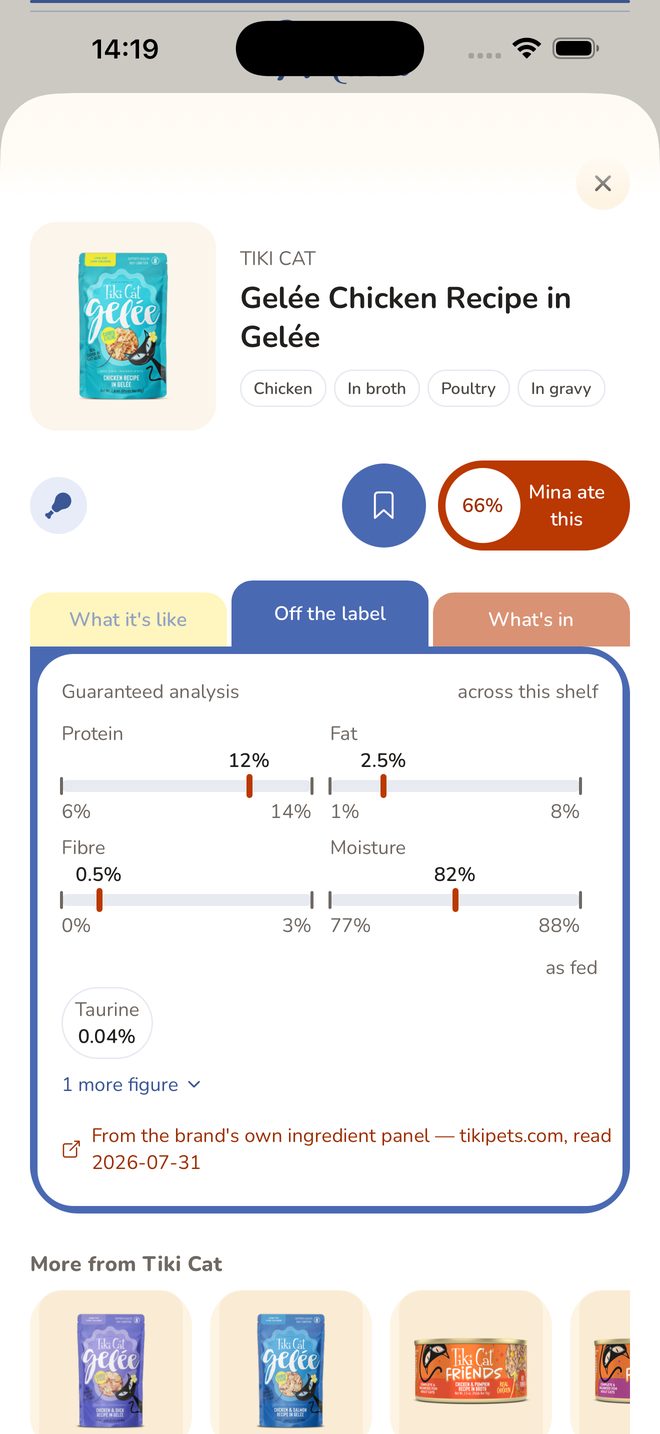
On every can’s page, see which cans the cats who love it also often love — each marked with how many cats it is based on. The page also shows how many cats have logged the can, how much they ate on average, and how often chin acne, vomiting or soft stool followed. Turn on anonymous sharing to see it; shared records carry no names and no photos.
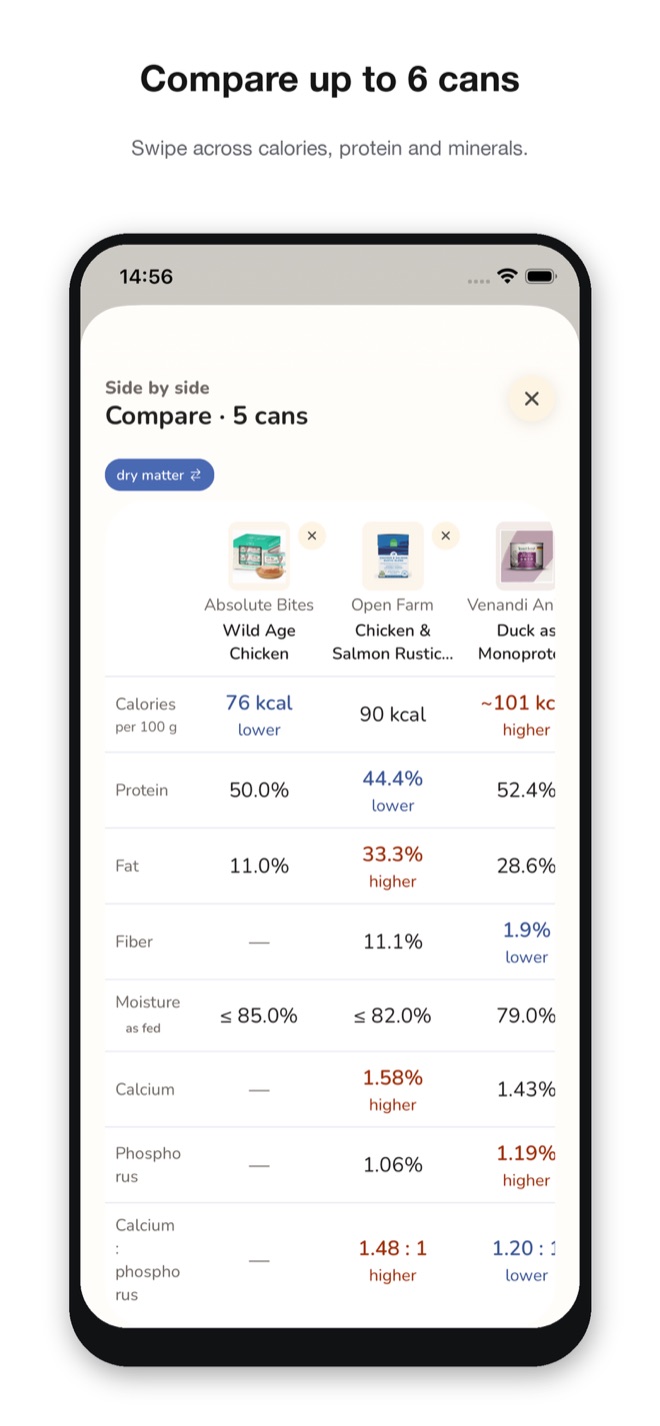
Put up to six cans side by side — calories, protein, fat, calcium and phosphorus — with the higher figure in red and the lower in blue.
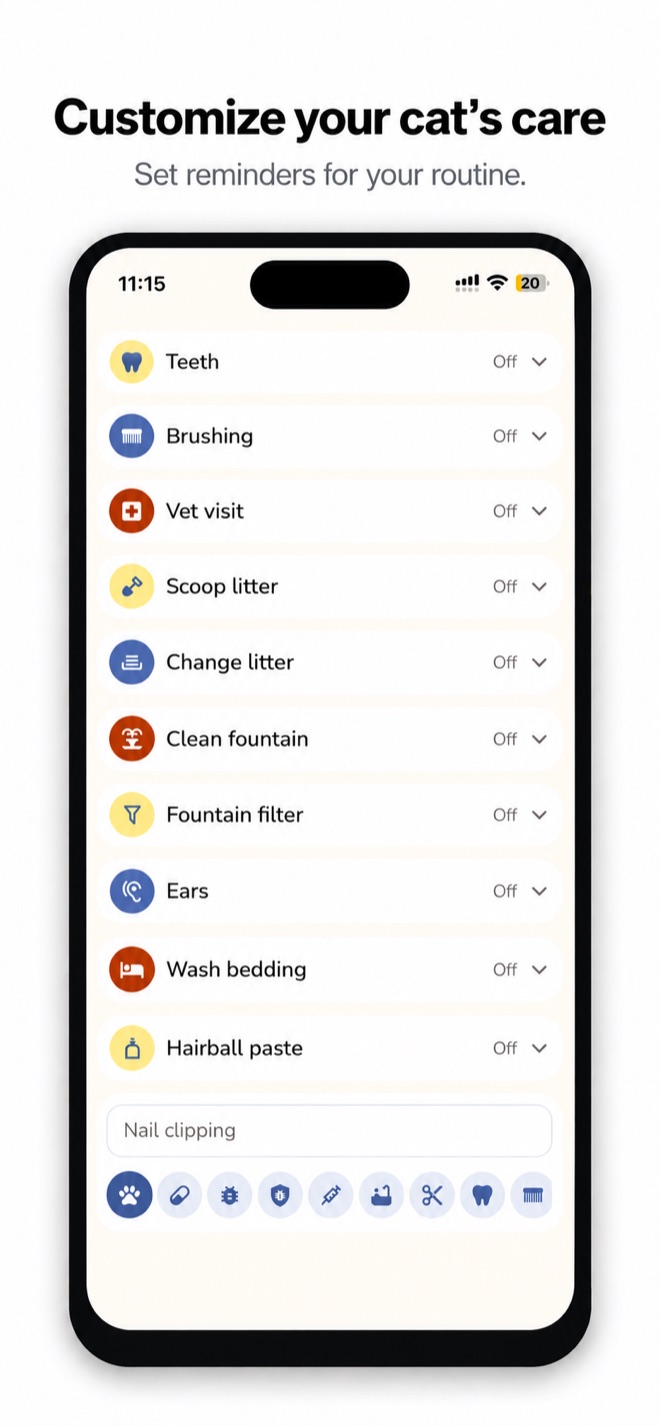
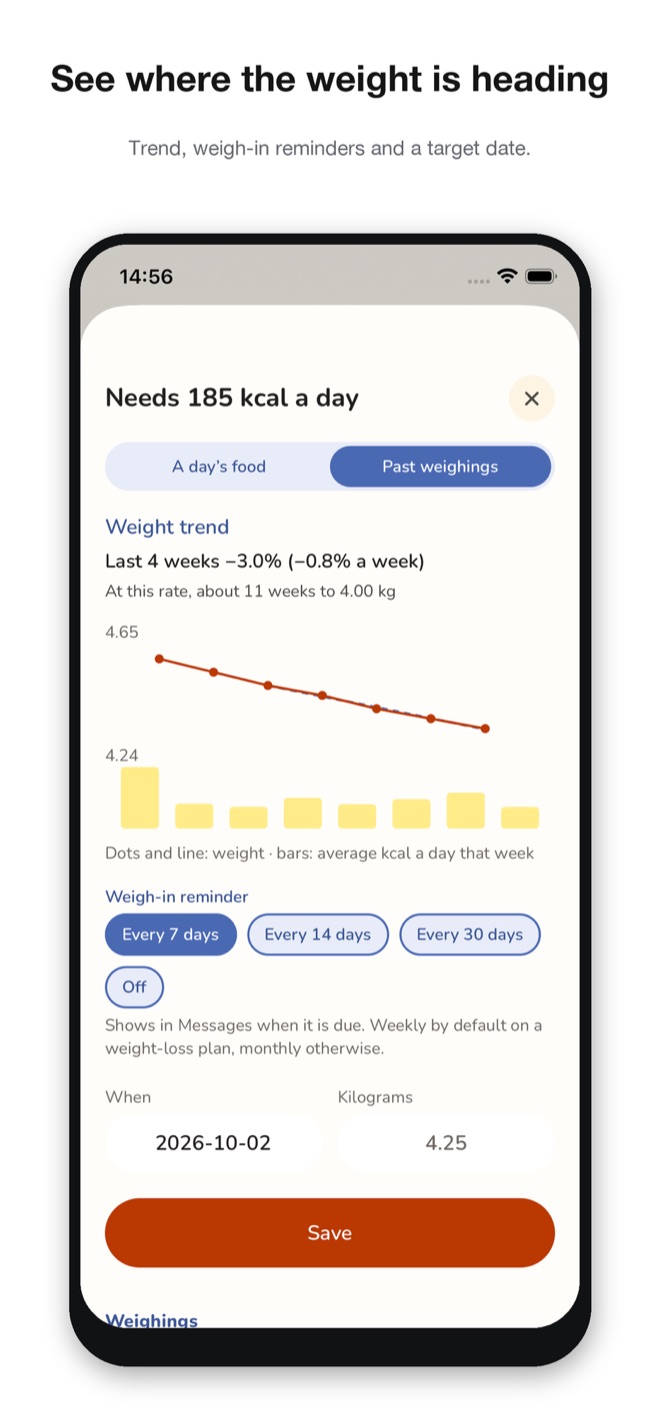
Log care tasks like deworming, brushing and nail trims, and how things look in the litter box and the tummy — stool, vomiting, chin acne — with reminders on your schedule. Weight gets a trend line and weigh-in reminders.
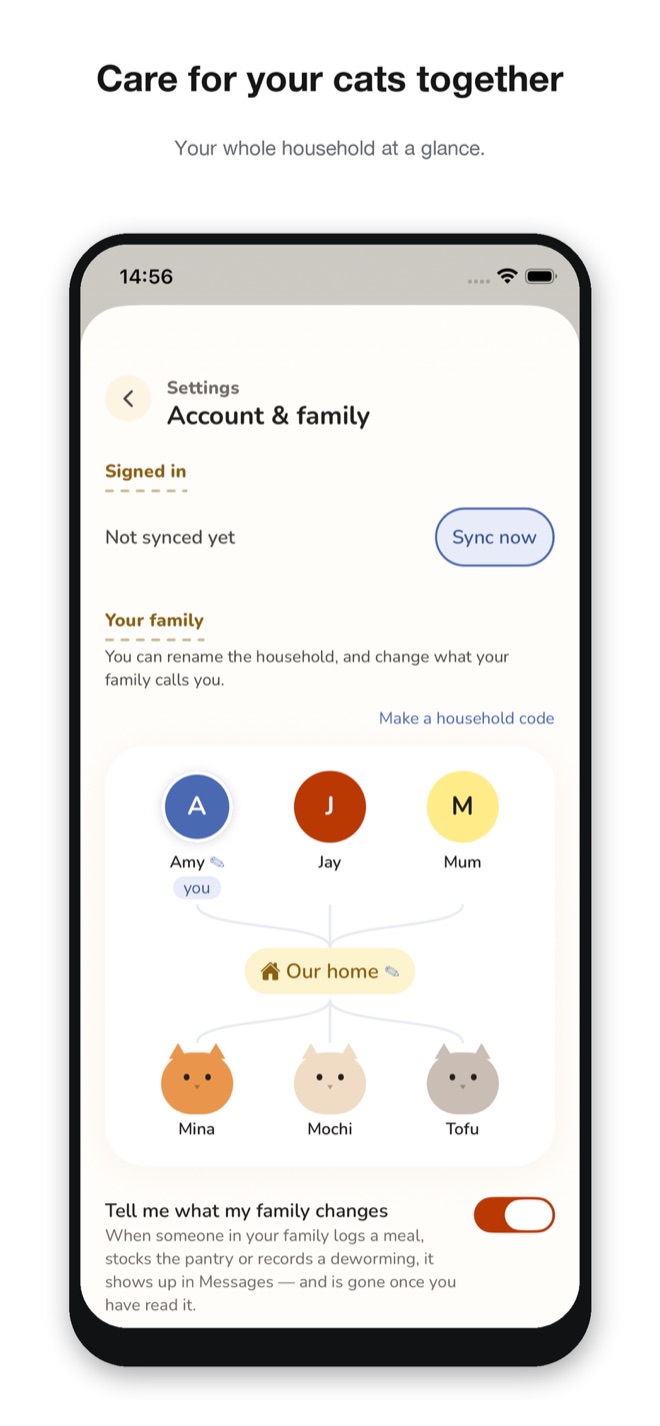
Sign in with Apple or an email code (or skip it and stay in local mode) to feed and log together as a household, and keep everything when you switch phones. Turn on “Tell me what my family changes” and you’ll hear when someone logs a meal or stocks a can.
Lickable sticks, freeze-dried bites and other treats have their own menu: log how many sticks or grams — half a stick is fine — and the calendar marks them with a paw print. “Today’s intake” on the home screen colors wet, dry and treats separately.
Cook for your cat and still log it: pick the ingredients, enter the grams, and see estimated calories and nutrition — even side by side with a can. The figures are estimates, not dietary advice.
Mark kidney disease on your cat’s profile and a can’s page flags its total phosphorus — and says so when it has easily absorbed phosphate salts added. For reference only; it does not replace your vet.
Put the cards on Home and your cat’s profile where you want them: hide them, reorder them, or tap the swap icon on two cards to trade places. The calendar shows wet and dry food separately, and you choose which one it opens on. Pick from 67 breeds and 59 coat colors.
Turn a Live Photo into a sticker for the day: add the cans she ate, text, fonts and borders, and a liked or disliked meal turns into a little face on its own. Share it as a video or save it as a Live Photo.
Record what a bag of dry food cost and see how many grams are left in the pantry; feeding from the bin doesn’t take stock off twice. The litter box has stock too — top-ups and full changes are logged.
When a cat moves to a new home, tick the records to hand over and share a 6-digit code; the other person gets a read-only copy, and nothing is ticked by default. Going away? Invite a sitter for chosen cats and dates, and they see only what you ticked.
Home shows today’s to-dos with reminders for the days and times you pick, and a stamp when each is done. The plan page lines up what comes next.
The receipt in Can collection counts every can eaten in the period; cans with no price are listed separately rather than quietly counted as zero. See the price per can, per 100 g, or per 100 kcal.